Text to video
Turn a written idea into a moving audiovisual scene.
Seedance 2.0 Mini
Create more AI video with an efficiency-focused Seedance workflow. Seedance 2.0 Mini combines text-to-video, image-to-video, multimodal references, native audio, editing, and extension in a lighter model designed for cost-efficient generation and repeated creative production.
Seedance 2.0 Mini
Use Seedance 2.0 Mini when efficiency matters. Start from a prompt or visual reference, add supported multimodal inputs when useful, and generate drafts, social video, ad concepts, or repeated creative variations without using a larger model for every idea.
Turn a written idea into a moving audiovisual scene.
Animate an image while directing movement, camera behavior, atmosphere, and sound.
Use supported image, video, or audio references to guide the intended result.
Mini is designed for creative workflows where generation volume and efficiency matter more than using the highest-capability model for every attempt.
Use a lighter Seedance model for drafts, experiments, and repeat generation instead of spending a full-size workflow on every idea.
A practical fit for teams and creators producing multiple concepts, variations, social clips, or campaign assets.
Mini retains the main creation modes of the 2.0 family, including text, image, multimodal reference, audio, editing, and extension workflows.
Create synchronized visual and audio content without requiring every draft to begin with a separate audio-production step.
Test whether an idea, camera direction, product setup, character action, or reference workflow works before investing in a heavier production pass.
Mini is not intended to replace every Seedance model. Its advantage is using less production headroom when the project does not need it.
Seedance 2.0 Mini works well for compact video concepts that benefit from repeated generation, visual references, and native audiovisual output.
Text to Video
Describe the subject, action, environment, camera, lighting, style, and sound to generate a complete video draft.
Image to Video
Use an image to establish the subject or product, then direct movement, framing, atmosphere, and scene progression.
Multimodal References
Combine supported reference media when appearance, motion, framing, or sound would be difficult to communicate with text alone.
Seedance 2.0 Mini is the lighter, lower-cost variant of the Seedance 2.0 video model family. It is designed for creators and production workflows that need the core Seedance 2.0 creation system while prioritizing efficiency and generation volume.
Mini provides a more efficient path for drafts, prototypes, variations, and short-form video production.
Create video from a written description or use an image as the visual foundation for the scene.
Supported workflows can use image, video, and audio material to guide creative direction.
Generate synchronized sound and visuals within the same video-generation process.
Use an existing video as part of an editing workflow and describe the changes you want to make.
Continue an existing sequence when the next shot or action should build from the current video.
Current ByteDance-partner model implementations expose Mini for 480p and 720p generation. The DoMax AI generator must remain the source of truth for the exact resolutions currently available to users.
Generate video from a prompt describing the subject, action, setting, camera, lighting, mood, and relevant sound.
Animate a still image while guiding subject movement, environmental motion, camera behavior, pacing, and atmosphere.
Use supported images, videos, and audio to communicate appearance, action, style, camera language, or sound direction.
Create dialogue, ambience, sound effects, or other audiovisual elements as part of the generation workflow.
Use supported reference-video workflows to change an existing sequence instead of rebuilding every concept from zero.
Continue a generated or referenced clip with additional action or story direction.
References help define what should remain recognizable while the prompt explains what should happen over time. Keep the relationship clear: identify what the reference controls and what the model is expected to change.
Both models use the Seedance 2.0 generation family. The main difference is how much production capability you need for the task.
Seedance 2.0 Mini
Efficiency and high-volume creation
Seedance 2.0
Higher-quality general-purpose creation
Seedance 2.0 Mini
Supported
Seedance 2.0
Supported
Seedance 2.0 Mini
Supported
Seedance 2.0
Supported
Seedance 2.0 Mini
Supported
Seedance 2.0
Supported
Seedance 2.0 Mini
Supported
Seedance 2.0
Supported
Seedance 2.0 Mini
Supported
Seedance 2.0
Supported
Seedance 2.0 Mini
Cost-efficient 480p / 720p workflows
Seedance 2.0
Better fit when higher-resolution or greater production headroom is required
Seedance 2.0 Mini
Drafts, social video, variations, prototypes, repeated generation
Seedance 2.0
Selected concepts and higher-quality production work
Choose Mini when efficiency and generation volume are more important than maximum output capability. Choose standard Seedance 2.0 when the same core workflow needs greater production headroom.
Explore Seedance 2.0Mini and Fast solve different workflow problems. Mini emphasizes efficiency and lower-cost generation; Fast emphasizes rapid iteration and turnaround.
Best for
Efficient, higher-volume generation
Choose Mini for
Best for
Rapid creative iteration
Choose Fast for
Choose Mini when you want an efficient model for producing more video. Choose Fast when generation speed itself is the more important constraint.
Explore Seedance 2.0 FastCost-efficient drafts
Seedance 2.0 Mini
Higher-volume video generation
Seedance 2.0 Mini
The fastest creative iteration
Seedance 2.0 Fast
Higher-quality general multimodal creation
Seedance 2.0
Longer storytelling and advanced production control
Seedance 2.5
Native audiovisual performance with an earlier model
Seedance 1.5 Pro
Do not choose a model by version number alone. Match the model to the stage of production: exploration, volume, speed, quality, or final creative control.
Produce short creative concepts, visual hooks, product clips, and repeatable social content without using a larger model for every post.
Explore different product angles, scenes, hooks, visual styles, and calls to action across multiple creative directions.
Animate product references and test camera movement, environments, lighting, and presentation ideas before a higher-end production pass.
Turn portraits, illustrations, concept art, product images, or campaign visuals into moving clips.
Validate scene structure, camera behavior, motion, style, and audiovisual ideas before committing additional production resources.
Use Mini for workflows that require repeated video generation across products, topics, campaigns, or creative variations.

01
Select Mini when efficiency, repeated generation, or lightweight video production is more important than maximum output capability.
02
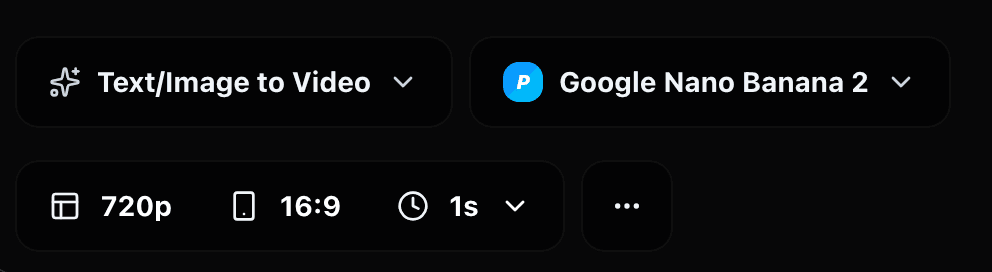
Select the text-to-video, image-to-video, or supported reference workflow available in the generator.

03
Define the subject, action, environment, camera, lighting, visual style, and important audio instructions.
04
Use supported images, video, or audio when a reference communicates the intended subject, product, motion, framing, or sound more clearly than text.
05
Review the motion, consistency, framing, pacing, and sound. Refine the strongest concepts, or move selected work to another Seedance model if the final version requires more production headroom.
Validate the main subject and action before adding secondary details.
Every reference should serve a specific purpose, such as defining the product, character, movement, camera direction, or audio.
When testing concepts, change one important variable at a time so the results are easier to evaluate.
Do not spend a higher-capability generation on every early idea when the concept is still changing.
Once a direction works, decide whether Mini is sufficient for the final output or whether the selected concept should move to standard 2.0 or 2.5.
A draft, internal preview, social variation, and final commercial deliverable do not necessarily require the same model or output settings.
Explore how Mini can support different subjects, references, visual directions, and repeatable content workflows.
Faster iteration
For rapid prompt testing, quick revisions, and creative workflows where turnaround is the main priority.
View modelGeneral-purpose quality
For higher-quality multimodal creation when the efficiency advantage of Mini is less important.
View modelProduction-focused
For longer storytelling, advanced references, editing, extension, and stronger production control.
View modelAudio + video
For native audiovisual generation, dialogue, performance, and cinematic scenes.
View modelTurn prompts, images, and creative references into cost-efficient AI video for drafts, social content, variations, prototypes, and repeatable production workflows.