30-Second Storytelling
Build a Complete Scene
Use a longer generation window to develop setup, movement, camera changes, performance, and resolution inside one coherent sequence.
Create longer, more controllable AI videos with Seedance 2.5. Generate complete scenes up to 30 seconds, direct synchronized audio and visuals, use images, video, and audio as creative references, and refine results with stronger editing and production-focused control.
Turn an idea or reference into video with the Seedance 2.5 generator. Choose the workflow available in the tool, add your prompt and supported reference media, then adjust the available generation settings before creating your result.
Seedance 2.5 is designed for more complete video sequences, not only isolated moments. Explore examples that show longer motion, cinematic camera direction, multimodal references, native audio, and controlled scene progression.
Use a longer generation window to develop setup, movement, camera changes, performance, and resolution inside one coherent sequence.
Guide characters, products, environments, movement, camera language, style, or sound using supported image, video, and audio references.
Create audio and video together so dialogue, ambience, effects, performance, and visual timing can work as part of the same generation.
Seedance 2.5 is ByteDance Seed’s next-generation audio-video creation model, officially released in July 2026. It builds on the multimodal foundation introduced with Seedance 2.0 and moves the workflow further from generating a short isolated clip toward directing a more complete piece of video.
The model can generate videos up to 30 seconds in a single pass and supports continued extension for longer sequences. It can also work with a much richer set of reference materials, including images, video clips, and audio.
This makes Seedance 2.5 useful when a prompt alone is not enough to communicate the intended character, product, movement, camera style, voice, environment, or visual direction.
The biggest change is control. Seedance 2.5 combines longer storytelling, multimodal reference understanding, synchronized audio-video generation, targeted editing, and more production-oriented tools in one model.
For creators making ads, narrative scenes, character content, product visuals, or previsualization, that means more of the creative brief can live inside a single generation workflow.
Seedance 2.5 expands several parts of the video-generation process at the same time.
First, single-pass generation increases to as much as 30 seconds. A longer window gives the model room to establish a scene, develop an action, change framing, move between story beats, and reach a more complete ending without requiring every idea to be broken into very short clips.
Second, reference handling is significantly broader. Seedance 2.5 can use up to 30 images, 10 video clips, and 10 audio clips as reference materials in one generation.
These references can help define subjects, scenes, visual style, voices, motion, composition, camera behavior, or other aspects of the intended result.
Third, editing becomes more precise. The model supports time-based instructions for changing selected parts of a generated or referenced video while preserving the surrounding sequence.
More advanced workflows include reference-based editing, camera-perspective adjustments, green-screen creation, and production controls designed for more complex visual work.
Seedance 2.0 established the unified multimodal workflow that supports text, image, video, and audio input. Seedance 2.5 extends that foundation with longer generation, richer references, and more precise editing.
Up to 30 seconds with stronger long-form continuity
Designed around shorter multimodal video generation
Expanded reference capacity and stronger understanding of creative intent, motion, framing, and camera language
Multimodal image, video, audio, and text reference workflows
More precise time-based editing plus advanced production-oriented controls
Multimodal generation and editing with less emphasis on long-form targeted revision
Longer stories, complex references, iterative editing, and production-focused workflows
General-purpose multimodal creation when the extra 2.5 workflow is not required
Choose Seedance 2.5 when longer continuity, complex reference material, targeted revisions, or production control removes meaningful steps from your workflow. For simpler multimodal video tasks, Seedance 2.0 can still be a practical option.
Seedance 2.5 is especially useful when a video needs continuity, references, audio, or a more deliberate sequence of events.
Use it for cinematic scenes that need controlled camera movement and multiple connected beats. Use it for product advertising when a reference image must stay recognizable while the camera, lighting, action, and environment evolve around it.
Character-focused projects can use visual and audio references to guide appearance, voice, performance, and dialogue.
The model also fits short narrative content, fashion films, music-driven visuals, branded social video, storyboard exploration, film previsualization, educational sequences, and creative concepts that benefit from a longer generation window.
For very early ideation or large numbers of disposable variations, a faster or lighter model may be more efficient. Seedance 2.5 is most valuable when the additional control directly improves the final result or reduces manual assembly.
Create connected shots with deliberate pacing, camera movement, atmosphere, and narrative progression.
Use product references to build reveals, demonstrations, lifestyle scenes, and commercial concepts.
Direct expressions, movement, dialogue, voice, and camera behavior across a longer performance.
Develop styled sequences with coordinated subjects, environments, movement, lighting, and camera direction.
Test scene blocking, camera ideas, motion, visual language, and narrative structure before production.
Build complete short-form concepts with a hook, action, product or story beat, and a clear ending.
Open the Seedance 2.5 generator and select the creation mode supported by the tool for your intended workflow.

Describe what should happen in the scene. Upload supported image, video, or audio references when they communicate the intended subject, motion, visual direction, or sound more clearly than text alone.

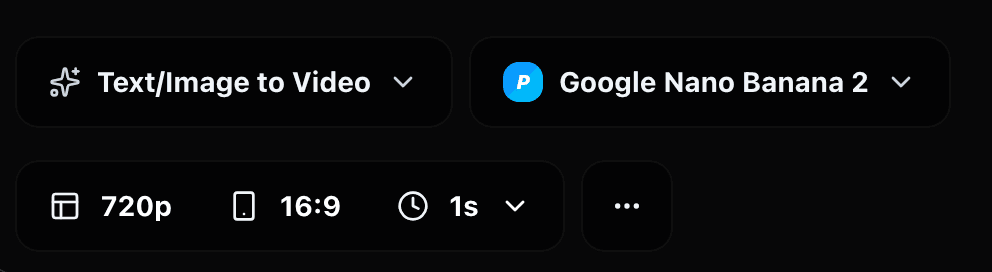
Choose from the duration, aspect ratio, quality, audio, or other controls currently available in the DoMax AI integration. The generator interface should always be treated as the source of truth for available options.
Check subject consistency, motion, camera behavior, sound, pacing, and whether the result follows the requested sequence.

Adjust the prompt or references one variable at a time. If a strong result only needs a local change or continuation, use an editing or extension workflow when that capability is available instead of rebuilding the entire concept.
Start with a clear visual event rather than a collection of style keywords. Define who or what is in the scene, what changes over time, and how the camera observes that action.
For longer videos, think in connected beats. A simple structure such as establishing shot → main action → close-up or transition → final composition is easier to follow than several unrelated events competing for the same timeline.
Assign every reference a job. One image might define the exact product, another the environment, a video the camera movement, and an audio file the voice or rhythm. State those relationships clearly in the prompt.
When consistency matters, avoid unnecessary changes to clothing, lighting, environment, camera style, and subject identity inside the same generation. Add complexity only when it contributes to the story.
Seedance 2.5 provides substantially more control, but AI video generation still involves iteration.
Complex physical interactions can remain difficult, especially when several subjects touch, exchange objects, move rapidly, or interact in a crowded scene. Precise anatomy, hands, small typography, exact product geometry, and highly constrained choreography may also require additional generations or stronger reference material.
Longer clips create another challenge: every extra action gives the model more information to coordinate. A focused 30-second sequence with a clear progression is generally easier to control than a prompt that attempts to fit many unrelated scenes into the same generation.
Reference quality matters as well. Conflicting images, inconsistent characters, incompatible camera examples, or unclear audio instructions can make the target harder to interpret.
Use Seedance 2.5 when its longer storytelling, reference control, native audio, editing, or extension capabilities solve a real creative problem—not only because it has a newer version number.
Seedance 2.5 is the production-focused option in the current Seedance family, but different workflows may benefit from a faster, simpler, or earlier model.
A strong general-purpose option for text, image, audio, and video-guided generation.
View modelDesigned for workflows where rapid testing and creative variation matter.
View modelFocused on native audiovisual generation, dialogue, performance, and cinematic scenes.
View modelA simpler visual-generation option with stable motion and native multi-shot storytelling.
View modelTurn your next idea, image, reference, or creative brief into a longer, more controllable AI video with Seedance 2.5.