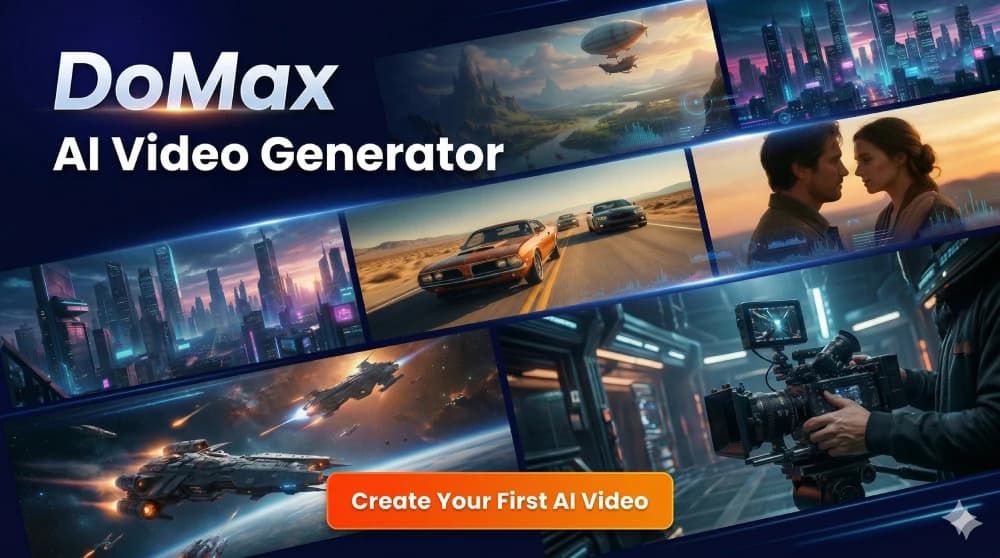
Create cinematic AI videos with the Kling model family on DoMax AI. Generate from text or images, create synchronized audio, control character motion, work with visual and video references, build multi-shot stories, and use newer Kling 3.0 workflows for multimodal creation and native 4K output.
Text to Video•Image to Video•Native Audio•Reference Video•Motion Control
Choose a Kling workflow based on the result you need, then start from text, an image, or the reference options currently supported by that model. The live generator shows the exact resolution, duration, audio, reference, and quality settings available on DoMax AI.
Cinematic general creation
Kling 3.0
Higher-quality 3.0 workflow
Kling 3.0 Pro
Native 4K
Kling 3.0 4K
Advanced references + storyboarding
Kling 3.0 Omni / Pro Omni
Short audio-visual creation
Kling 2.6 / 2.6 Pro
Loading your workspace…
Which Kling AI Model Should You Use?
Choose by workflow rather than version number alone. The Kling 3.0 family offers the broader multimodal and cinematic workflow, while Kling 2.6 remains useful for shorter native audio-video creation.
Kling 3.0
General-purpose 3.0
Best for
Cinematic text-to-video, image-to-video, multi-shot storytelling, native audio, and modern Kling creation.
Choose it when
You want the standard Kling 3.0 workflow without specifically requiring a Pro, 4K, or Omni configuration.
Kling AI is Kuaishou’s generative video platform and model family for turning text, images, references, and creative direction into AI-generated video.
01
Text to Video
Describe a subject, action, scene, camera movement, lighting, style, dialogue, and sound.
02
Image to Video
Use an image to establish the visual starting point while Kling directs movement and camera behavior.
03
Native Audio
Kling 2.6 introduced simultaneous generation of video, speech, sound effects, and ambient sound into the modern Kling workflow.
04
Multi-Shot Storytelling
Kling 3.0 can understand multi-scene instructions and transition between camera angles and narrative beats.
05
Reference-Driven Video
Kling 3.0 expands visual and video reference workflows to improve subject, object, environment, and voice consistency.
06
Video Creation + Editing
The 3.0 multimodal architecture combines video understanding, generation, reference-based creation, and in-video editing inside a broader workflow.
Compare Kling AI Models
Use this table for the main generation decision. Variant-specific settings should always follow the live DoMax AI generator.
Workflow
Best for
Key advantage
Main trade-off
Kling 3.0
General cinematic creation
Native audio, multi-shot storytelling, references, strong consistency, and up to 15-second model-level generation
Does not specifically target the Pro, 4K, or Omni configuration
Kling 3.0 Pro
Quality-focused 3.0 work
Higher-tier 3.0 configuration available through the current integration
May use more resources than the standard workflow
Kling 3.0 4K
High-resolution production
Native 4K generation from the Kling 3.0 model series
4K is unnecessary for drafts and lightweight concepts
Kling 3.0 Omni
References and storyboarding
Advanced reference-based creation, subject and voice consistency, and custom multi-shot storyboard control
More workflow complexity than straightforward generation
Kling 3.0 Pro Omni
Higher-tier reference workflows
Combines the DoMax Pro configuration with the Omni-oriented reference workflow
More capability than simple text or image generation requires
Kling 2.6
Short native audio-video
Text or image to video with speech, effects, and ambient sound in one generation
Older and shorter workflow than Kling 3.0
Kling 2.6 Pro
Pro 2.6 creation
Higher-tier version of the established 2.6 workflow in the current integration
Does not provide the broader 3.0 multimodal workflow
Kling 3.0
Best for
General cinematic creation
Key advantage
Native audio, multi-shot storytelling, references, strong consistency, and up to 15-second model-level generation
Main trade-off
Does not specifically target the Pro, 4K, or Omni configuration
Kling 3.0 Pro
Best for
Quality-focused 3.0 work
Key advantage
Higher-tier 3.0 configuration available through the current integration
Main trade-off
May use more resources than the standard workflow
Kling 3.0 4K
Best for
High-resolution production
Key advantage
Native 4K generation from the Kling 3.0 model series
Main trade-off
4K is unnecessary for drafts and lightweight concepts
Kling 3.0 Omni
Best for
References and storyboarding
Key advantage
Advanced reference-based creation, subject and voice consistency, and custom multi-shot storyboard control
Main trade-off
More workflow complexity than straightforward generation
Kling 3.0 Pro Omni
Best for
Higher-tier reference workflows
Key advantage
Combines the DoMax Pro configuration with the Omni-oriented reference workflow
Main trade-off
More capability than simple text or image generation requires
Kling 2.6
Best for
Short native audio-video
Key advantage
Text or image to video with speech, effects, and ambient sound in one generation
Main trade-off
Older and shorter workflow than Kling 3.0
Kling 2.6 Pro
Best for
Pro 2.6 creation
Key advantage
Higher-tier version of the established 2.6 workflow in the current integration
Main trade-off
Does not provide the broader 3.0 multimodal workflow
How Kling AI Has Evolved
Illustrative footage · Not verified Kling output
December 2025
Kling 2.6
Native audio-video creation
simultaneous audio and video generation
text-to-audio-visual creation
image-to-audio-visual creation
speech, dialogue, sound effects, and ambience
Chinese and English speech at launch
up to 10-second model-level video
stronger semantic audio-visual alignment
Illustrative footage · Not verified Kling output
February 2026
Kling 3.0
Multimodal cinematic creation
text, image, audio, and video multimodal architecture
up to 15-second model-level generation
multilingual native audio
stronger consistency
intelligent multi-shot storytelling
reference video and multiple image references
improved photorealism
stronger text and branded-element preservation
Illustrative footage · Not verified Kling output
February 2026
Kling 3.0 Omni
Advanced references and storyboard control
reference video can provide visual and voice characteristics
stronger identity consistency
custom multi-shot storyboard
shot duration control
shot size and perspective
narrative content
camera movement direction
Illustrative footage · Not verified Kling output
Q2 2026
Kling 3.0 Native 4K
Professional high-resolution video
Native 4K video output was officially rolled out to the Kling AI 3.0 model series for higher-resolution professional workflows.
Choose Kling AI by Workflow
General Kling 3.0 creation
Kling 3.0
A quality-focused 3.0 configuration
Kling 3.0 Pro
Native 4K video
Kling 3.0 4K
Advanced reference video
Kling 3.0 Omni or Pro Omni
Custom multi-shot storyboard control
Kling 3.0 Omni or Pro Omni
Multilingual generated dialogue
Kling 3.0 family
Up to 15-second model-level generation
Kling 3.0 family
Simple text-to-video with native sound
Kling 2.6 or newer
Image-to-video with native sound
Kling 2.6 or newer
Motion-driven character content
Kling 2.6 family or supported newer Kling workflows
Short dialogue, narration, or social video
Kling 2.6 or 2.6 Pro
Professional high-resolution delivery
Kling 3.0 4K when available
Use the simplest Kling workflow that satisfies the creative requirement. A higher-tier or Omni configuration is useful when its additional quality, resolution, or reference control solves a specific production problem.
See What Kling AI Can Create
Shared preview clips illustrate workflow ideas; they are not verified Kling model outputs or demonstrations of the listed resolution.
Illustrative footage · Not verified Kling output
Text to Video
Turn a Creative Brief into Motion
Define the scene, action, camera, lighting, dialogue, atmosphere, and sound.
Illustrative footage · Not verified Kling output
Image to Video
Bring a Still Image to Life
Use a source image to establish composition and identity while directing movement and camera behavior.
Illustrative footage · Not verified Kling output
Native Audio
Generate the Scene with Sound
Create speech, sound effects, ambience, and visual action as part of one audiovisual workflow.
Illustrative footage · Not verified Kling output
Multi-Shot
Build Connected Cinematic Shots
Move between camera angles and narrative beats instead of generating only one isolated visual moment.
Motion Reference
Character Performance
References
Keep Subjects Recognizable
Use supported image or video references to guide characters, objects, products, environments, and visual identity.
Illustrative footage · Not verified Kling output
4K
Create High-Resolution Video
Use the native 4K capability of the Kling 3.0 model series when the final workflow requires higher-resolution output.
Kling 3.0 Workflows on DoMax AI
DoMax AI provides several Kling 3.0 configurations through one dedicated model page. Choose the configuration inside the generator rather than treating every option as a separate model family.
Kling 3.0
General-purpose 3.0 creation.
Kling 3.0 Pro
Quality-focused Pro configuration.
Kling 3.0 4K
Native 4K-oriented workflow.
Kling 3.0 Omni
Advanced multimodal reference and storyboard workflow.
Kling 3.0 Pro Omni
Higher-tier Omni configuration available through the current integration.
Create a video directly from a written scene description.
02
Image-to-Video
Animate an image while directing motion, camera behavior, expression, atmosphere, and sound.
03
Native Audio
Generate speech, ambience, effects, and other sound together with the video in supported models.
04
Reference-to-Video
Use visual or video source material when creative identity is easier to show than describe.
05
Motion Control
Use supported motion-reference workflows to guide body movement and expressions for character-focused creation.
06
Multi-Shot Storyboarding
Use supported Kling 3.0 workflows to plan multiple shots with more deliberate narrative and camera direction.
Why Creators Use Kling AI
01
Cinematic Motion
Kling focuses on camera movement, subject motion, physical action, visual detail, and temporal consistency.
02
Audiovisual Generation
Modern Kling models can create visuals and sound together instead of requiring every clip to be dubbed separately.
03
Character Performance
Motion, dialogue, facial expression, body movement, and camera direction can work together in character-driven scenes.
04
Multimodal Control
Kling 3.0 expands creation beyond a single prompt through image, video, audio, and reference-oriented workflows.
05
Model Choice
Use the standard, Pro, 4K, Omni, or earlier 2.6 workflows based on quality, resolution, references, speed, and production complexity.
What Should You Know Before Choosing a Kling Model?
Before you choose
Complex multi-character interactions, hands, small objects, exact product geometry, and tightly constrained choreography may still require multiple attempts.
Subject consistency improves with references but is not guaranteed across every camera angle, movement, or scene transition.
Generated dialogue and lip synchronization can still require iteration, especially in complex multilingual or multi-character scenes.
Multi-shot prompts work best when individual shots have a clear purpose instead of many unrelated actions.
Logos, signage, captions, and branded text may be preserved more effectively in newer models but should still be checked carefully.
Native 4K provides additional output resolution but does not automatically improve a weak prompt, poor reference, or unclear scene.
Omni and Pro configurations add useful control but may be unnecessary for early drafts or simple video concepts.
Duration, resolution, audio, references, Pro settings, Omni settings, 4K availability, pricing, and credits must follow the live DoMax AI generator.
How to Use Kling AI on DoMax AI
01
Choose a Kling workflow
Select the 3.0 or 2.6 family, then choose the standard, Pro, 4K, or Omni configuration currently available in the generator.
02
Choose how to start
Create from text, an image, or another supported reference workflow.
03
Describe the scene
Define the subject, action, environment, camera movement, framing, lighting, dialogue, effects, and sound.
04
Add references when useful
Use supported images, video, or motion sources when identity, movement, product appearance, or visual direction is easier to demonstrate than describe.
05
Generate and refine
Review motion, character consistency, framing, shot transitions, audio, lip sync, text, and overall narrative flow. Refine the weakest part of the result instead of changing every variable at once.
Kling AI FAQ
What is Kling AI?
Kling AI is Kuaishou’s generative video platform and model family. It supports workflows including text-to-video, image-to-video, native audio, references, motion control, multi-shot storytelling, and video editing depending on the selected model.
Which Kling models are available on DoMax AI?
DoMax AI currently groups its Kling offering into two dedicated version pages. The Kling 3.0 page includes Kling 3.0, Kling 3.0 Pro, Kling 3.0 4K, Kling 3.0 Omni, and Kling 3.0 Pro Omni. The Kling 2.6 page includes Kling 2.6 and Kling 2.6 Pro.
What is the difference between Kling 3.0 and Kling 2.6?
Kling 2.6 introduced simultaneous audio-video generation for text-to-video and image-to-video workflows. Kling 3.0 expands the system with longer model-level generation, multilingual native audio, stronger consistency, multi-shot storytelling, richer references, multimodal creation, and newer editing and 4K workflows.
What is Kling 3.0 Omni?
Kling Video 3.0 Omni is the reference-focused 3.0 workflow. It can use reference video to guide visual and voice characteristics and adds custom multi-shot storyboarding with control over shot duration, size, perspective, narrative content, and camera movement.
Can Kling AI generate 4K video?
Yes. Kuaishou officially rolled out native 4K video output across the Kling AI 3.0 model series in 2026. DoMax AI provides a Kling 3.0 4K workflow, but the live generator should be used to confirm the current 4K settings and availability.
Does Kling AI generate audio?
Yes. Kling 2.6 introduced simultaneous audio-video generation with speech, sound effects, and environmental audio. Kling 3.0 expands native audio with multilingual speech, accents, dialects, and more complex character dialogue workflows.
Can Kling AI generate video from an image?
Yes. Image-to-video is supported in the current Kling family. A source image can establish the subject or composition while the prompt directs action, camera movement, atmosphere, dialogue, and sound.
Can Kling AI use reference videos?
Yes in supported Kling 3.0 workflows. Video 3.0 can use reference video and images for stronger consistency, while Video 3.0 Omni expands reference-based creation and storyboard control.
What is Kling Motion Control?
Kling Motion Control is a workflow for guiding character movement from a motion source. Kuaishou introduced motion-control capabilities around the Kling 2.6 generation, allowing a character reference to follow movement and expressions from uploaded or provided motion video.
Which Kling model should I use?
Use Kling 3.0 for general modern Kling creation, 3.0 Pro when the higher-quality Pro configuration fits the project, 3.0 4K for high-resolution output, Omni or Pro Omni for reference-heavy and storyboard workflows, and Kling 2.6 or 2.6 Pro for a simpler short native audio-video workflow.
Explore Kling AI Models
Current multimodal family
Kling 3.0
Kling 3.0Kling 3.0 ProKling 3.0 4KKling 3.0 OmniKling 3.0 Pro Omni
For cinematic generation, native audio, multi-shot storytelling, visual and video references, multimodal workflows, and native 4K-capable production.